Everything here costs nothing and always will.
There's one paid extra, further down, and it's the one you could live without.
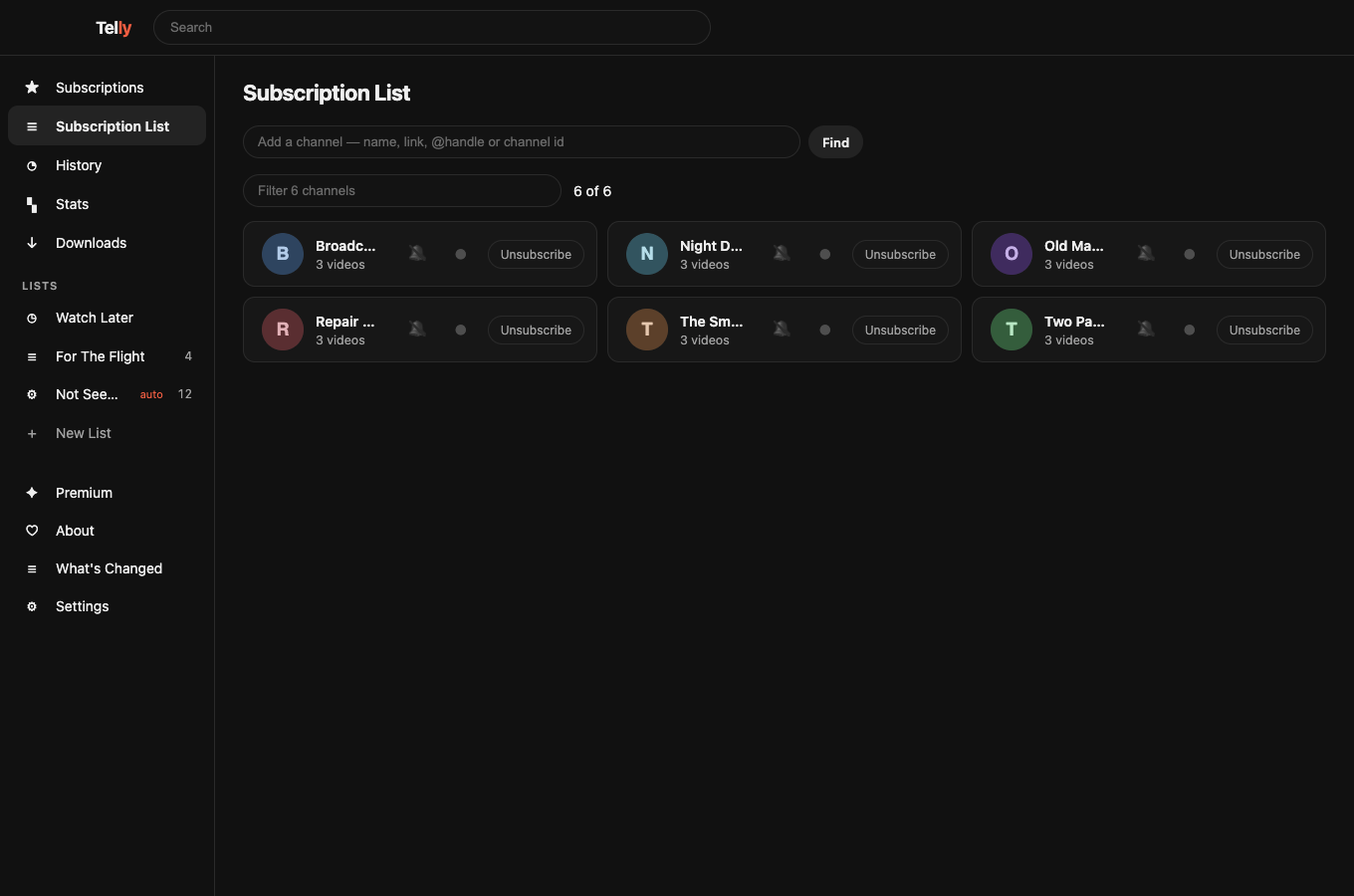
Your subscriptions, in order
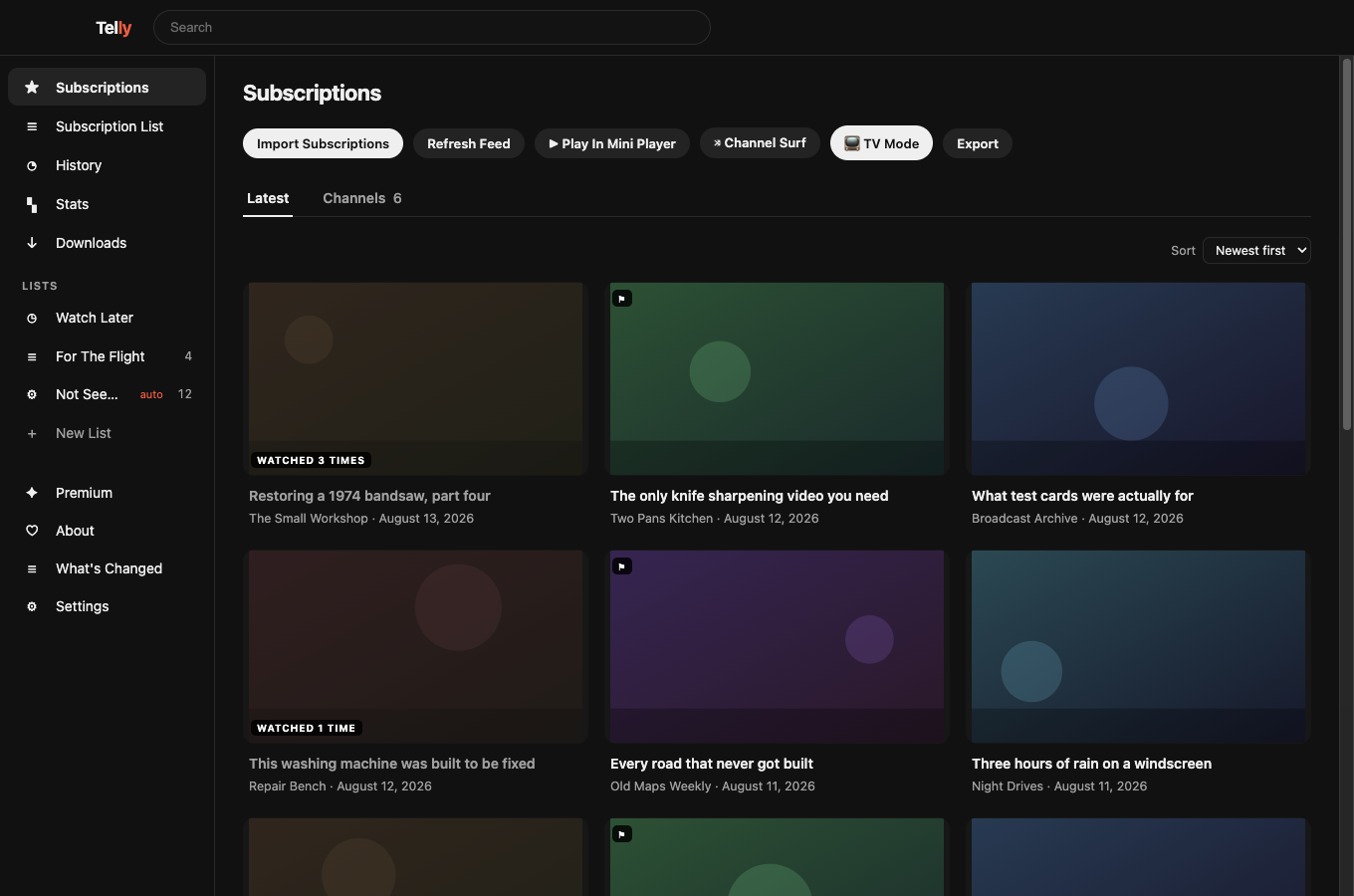
Newest first, from the channels you actually follow. No algorithm deciding what you meant.
No adverts
Not blocked — never fetched. It's a better story than a blocklist, and it's below.
Keep videos on your disk
Download anything, in the format you want. Yours whatever YouTube does next.
Search what you've watched
Every word said in it, landing on the second. YouTube has the captions and won't let you search your own history by them.
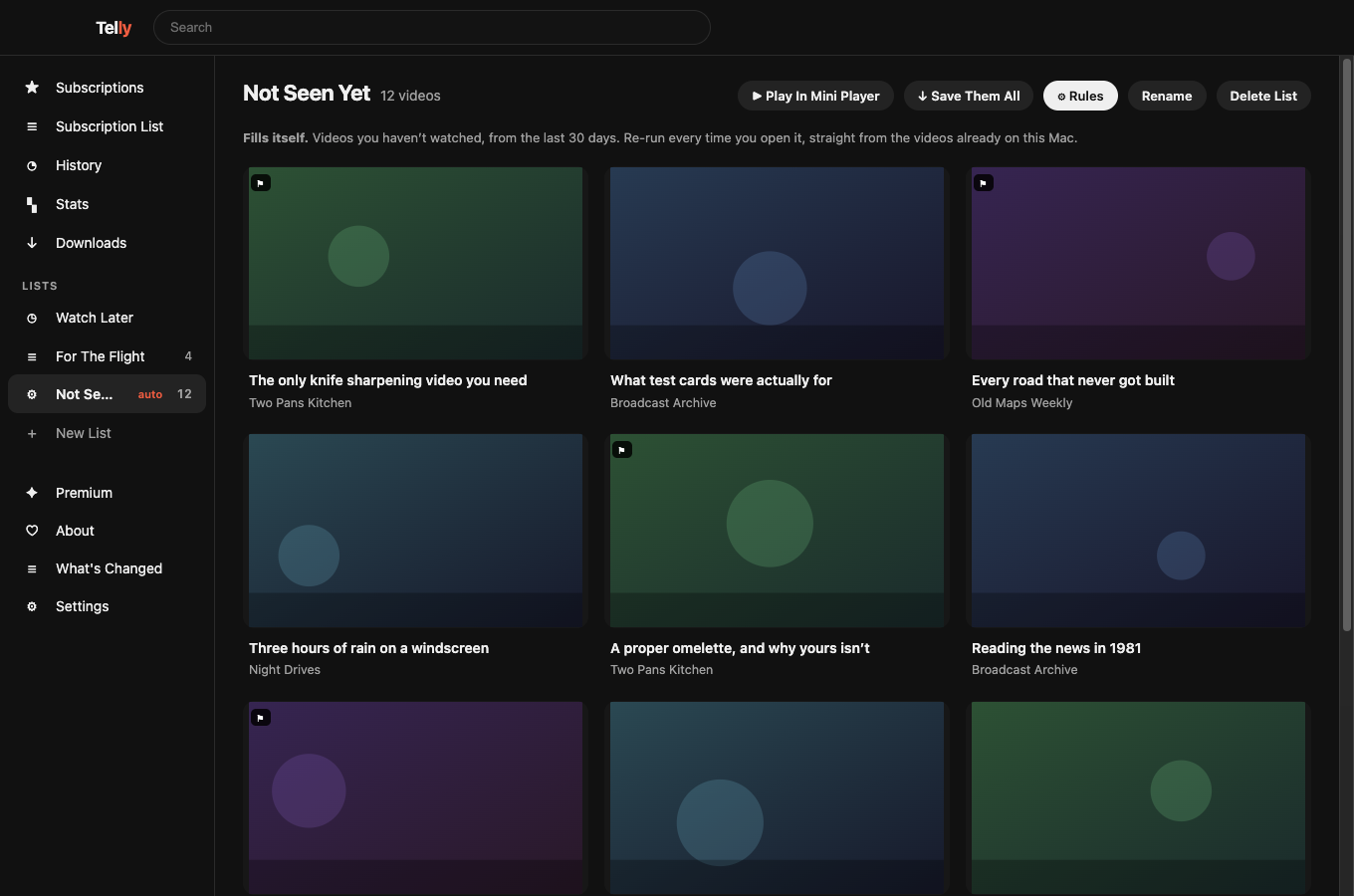
Lists that fill themselves
Give a list rules — these channels, not watched, this month — and it re-runs them every time you open it.
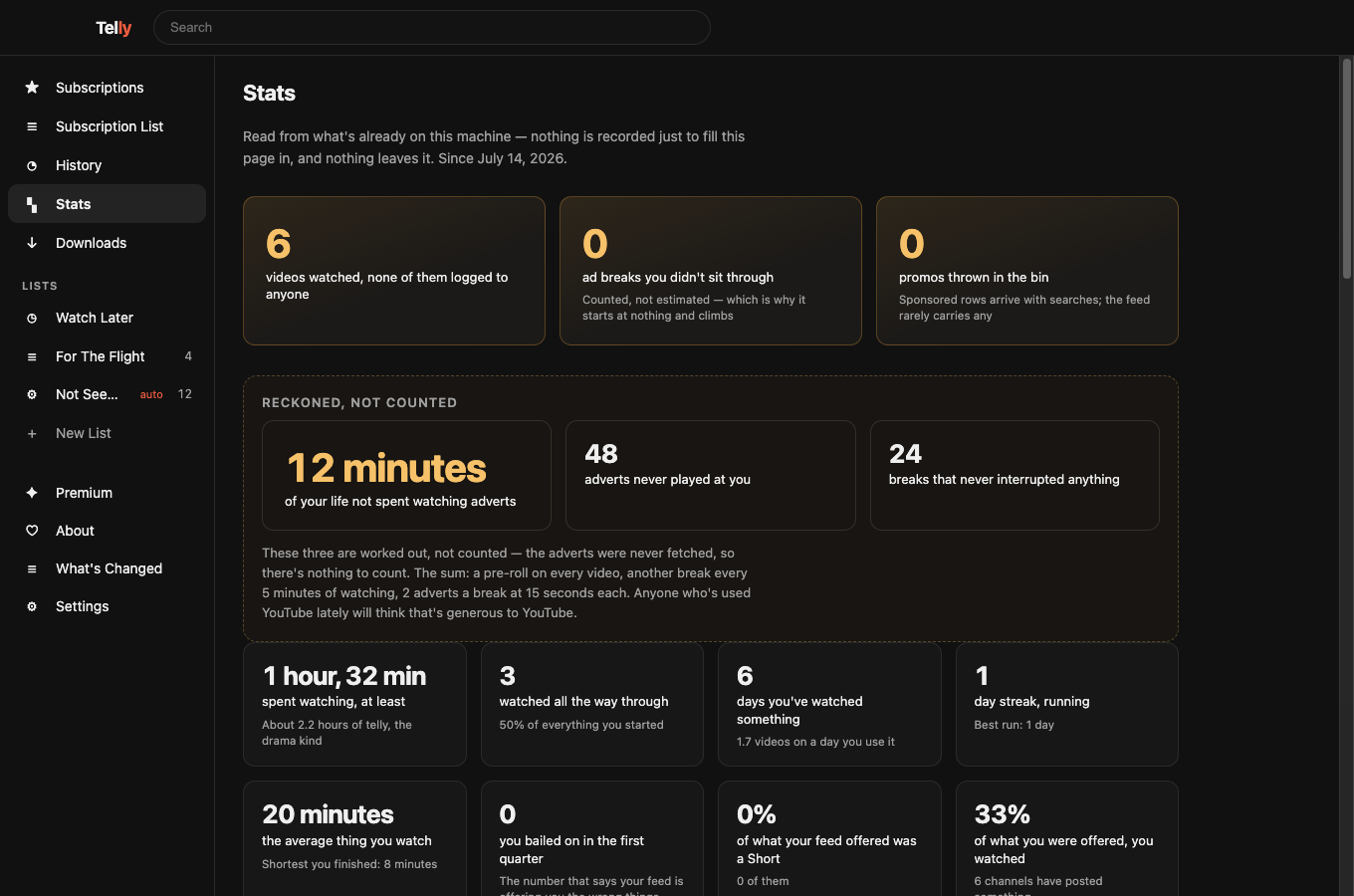
Stats nobody else keeps
What you watched, how much of your feed was Shorts, which channels never earn their place. Counted here, shown only to you.
Or just watch it work.
No sound. Nothing here was filmed — the app drove itself, and every channel, title and programme in it is invented.
Recorded by the app itself · no real channels, nobody's video
And how each one is kept.
No adverts, structurally. Telly draws an allow-list of things — videos and channels. Every advert YouTube sends is a different kind of object, and Telly has no code that can draw one. It isn't a blocklist that needs updating; there's nowhere for an advert to appear. A test in the source enforces it.
No account, ever. There's no sign-in because there's nothing to sign in to. Telly reads the same public feeds your RSS reader could.
Nothing about you leaves the machine. No analytics, no crash pings, no "anonymous usage data". The only time Telly talks to anything but YouTube is if you buy a licence, and then it sends the key and nothing else.
What's coming, and what isn't.
No dates. One person makes this, and a date on a page like this is a promise from somebody who doesn't know what next month looks like. The order is real though, and so is the last column.
Just landed
- Search inside videos you've watched Every word said, kept on your Mac, landing on the second it was said.
- Lists that fill themselves Rules instead of hand-sorting — "these channels, not watched, this month".
- Back up everything, and restore it One file. Restoring only ever adds; it never deletes what's already there.
- Undo, chapters, sticky subtitles, levelling And YouTube links that open here instead of in a browser.
- An accessibility pass Keyboard throughout, a focus ring you can see, and names a screen reader can read.
Next
- Music A separate mode for listening rather than watching — artwork, albums, audio-only, and a queue that behaves like a playlist.
- Windows The one thing here that doubles who can use Telly rather than improving it for people who already can.
- Linux, and Intel Macs Both are one more build target rather than new code.
- Export a clip, audio-only mode, per-channel notes The small ones, in roughly that order.
- More rooms and cabinets for TV Mode And your own art on the posters.
Not planned — so nobody waits
- An endless Shorts feed Shorts are here and always findable, but there's no swipe-for-the-next and there won't be. An endless one being decided for you is what this app exists to avoid.
- Comments They'd make the app worse in exactly the way it exists to avoid.
- A subscription Telly is $19 once. There's no plan where the good bits get taken away later and sold back to you.
- An AI summary of a video It would mean sending what you watch to somebody else's computer, which is the one thing Telly promises it never does. On-device only, and that's its own project.
- Sync between your machines The moment it needs a server it costs the whole pitch. End-to-end encrypted or not at all.
- An Apple TV or iPad app Genuinely the best idea anyone's suggested, and a full rewrite. Not soon.
The ones everybody actually asks.
Is this legal?
Telly reads the same public feeds and pages a browser does, and plays the same videos YouTube serves to anyone. It doesn't break encryption, doesn't bypass payment, and doesn't touch anything behind a login.
It does mean YouTube gets no advertising revenue from you, and their terms of service take a dim view of that. That's between you and them, and it's the same position as every ad blocker on the internet. It won't be on the App Store, for exactly this reason.
Will it break when YouTube changes something?
Yes, occasionally — that happens to everybody who does this, which is why yt-dlp ships new releases constantly. Anyone telling you otherwise is selling something.
What Telly does about it: an automated check plays a real video twice a day and raises the alarm, the app updates itself so a fix reaches you without you doing anything, and when a video is refused mid-play it switches routes on its own and keeps going at lower quality rather than freezing. The aim isn't "never breaks". It's "you rarely notice, and it's fixed before you complain".
Where does my data go?
Nowhere. There's no account, no analytics and no server of mine to send anything to. Your subscriptions, history, lists and downloads sit in one folder on your Mac, and Settings has a button that deletes the lot.
An automated test watches every network request the app makes and fails the build if one goes anywhere but YouTube. That's a gate the code has to pass before it can reach you, not a policy I remember to follow.
What happens if you stop working on it?
What you've already got keeps working, and the videos you've downloaded are ordinary files on your own disk that don't need Telly at all. There's no server to switch off and no licence check that phones home — a bought copy stays unlocked with no connection whatsoever.
Do I have to pay?
No. Everything above is free and stays free. TV Mode, recording a channel and searching inside what you've watched are $19 once, and you get three minutes of TV Mode free every week forever whether you buy it or not.
Why isn't it on the App Store?
A third-party YouTube client that removes adverts isn't going to survive App Review, and the sandbox it would need can't run the tools Telly uses to download videos. So it's a signed, notarised download that updates itself — which also means no thirty percent, and no rules about what the app is allowed to be.
One person, on purpose.
I’m Maddie, and I make Telly entirely on my own — one autistic developer who cares, maybe a little too much, about getting the small things right.
Building these is how I earn my living. Ordinary jobs have never fitted the way my head is wired, so I built something that does: apps I’d want myself, supported directly by the people who use them. No investors, no company taking a cut, nobody upstairs asking why the free version isn’t worse.
That last part is why Telly works the way it does. There's no plan where the good bits get taken away later and sold back to you.
Free, signed, and it updates itself.
Notarised by Apple, so it opens without warnings or right-click tricks. New versions download quietly in the background and install when you quit.
macOS 12 or later · Apple silicon